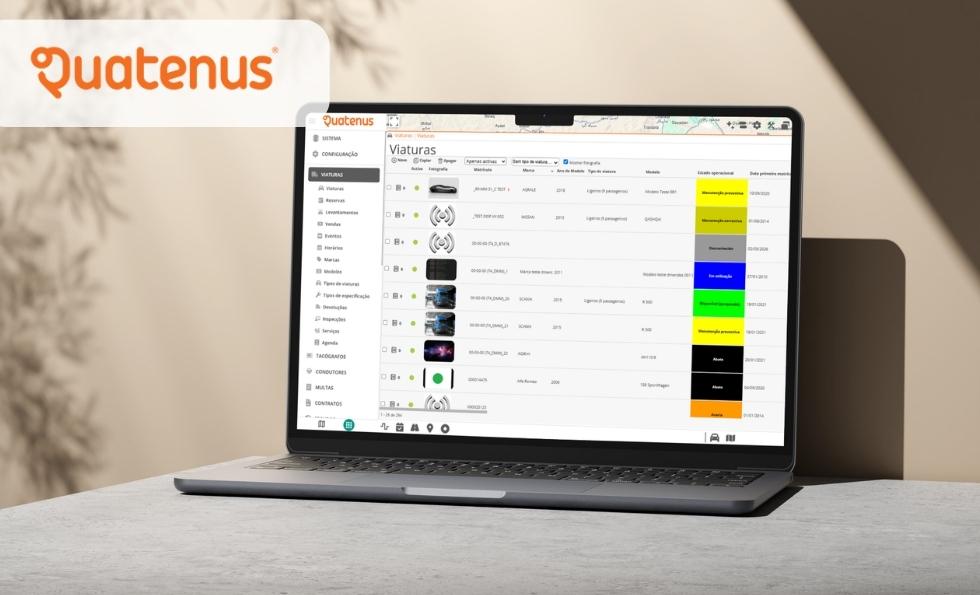
When a grid contains many columns, keeping track of the right information can become harder. Constant horizontal navigation can make users lose context and slow down reading. With the new pinned columns option, analysis becomes simpler, clearer and smoother.
In operations where data review is part of the daily routine, visual clarity plays a decisive role. Whenever users need to scroll horizontally to find information, there is a risk of losing the main reference point in the row or column they are analysing. This makes quick comparisons harder and creates uncertainty during reading.
The pinned columns feature allows one column to remain visible while users move across the others. This means the data that works as a reference stays accessible throughout the review. The result is a more stable reading experience and a more practical way to analyse information.

Quatenus Fleet Management
Users can arrange the columns according to their needs and select the one they want to pin. From that point, that column remains visible while navigation continues across the others. It is a straightforward improvement designed to make reading easier in scenarios with a high volume of information.
This option is especially useful for users who review many columns at once and need to preserve analytical context. It supports validation tasks, comparisons, detailed reading and metric monitoring by preventing navigation from interrupting data interpretation.
By keeping key data visible at all times, analysis becomes faster, more consistent and more comfortable. This reduces uncertainty, improves readability and helps each user work with greater confidence when reviewing extensive information in the grid.
In most cases, it makes sense to pin the column that identifies the main record, such as the asset name, registration plate or another reference element. This ensures that the remaining columns are always read against a clear anchor point.
Try the new pinned columns option in the grid and make data analysis simpler in your daily work.
If you are not yet using Quatenus, get in touch with us and discover how to reduce costs, optimise management time and improve control over your operation.
Contact usFAQ
In most cases, the problem is not the data itself, but how it is presented. When too much information is shown at once, without a clear hierarchy or a fixed reference point, reading becomes harder. The best approach is to organise the view so that the most important information stands out and remains easy to follow while navigating.
Start by identifying the column that acts as the main reference for your analysis, such as the asset name, registration plate or another key identifier. From there, it becomes easier to compare the remaining data without losing context. When that reference stays visible during navigation, reading becomes more stable, faster and more intuitive.
Yes. The feature is designed to let each user pin the column that makes the most sense for their reading needs.
The layout remains flexible. Users can organise columns as needed and also keep one of them pinned while navigating.
The main benefit is clearer data reading, especially when a large amount of information is visible at the same time.
Related